35 Basic Tutorials to Get You Started with Photoshop
Adobe Photoshop is a very powerful and versatile image editing/graphics creation application that is the industry standard in its category. Though Photoshop’s interface is intuitive enough for an absolute beginner to learn basic image editing tasks such as cropping and resizing, to be able to fully master and utilize all of its tools takes a considerable amount of time.
If you’re interested in honing your Photoshop skills to create spectacular compositions, this is for you. In this article, you’ll find 35 basic Photoshop tutorials for getting started with Photoshop.
General tutorials
1. Getting Started with Photoshop
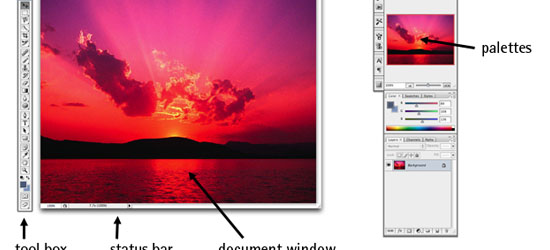
If you’ve never had any experience with Photoshop, this tutorial from SitePoint will get you up to speed with Photoshop’s basic features.
2. Adobe Photoshop Interface Tutorial
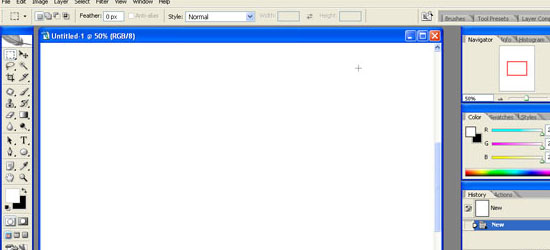
This tutorial outlines Photoshop CS2′s interface. Even if you use an earlier or later version of Photoshop, this tutorial is still helpful in familiarizing yourself with how Photoshop – in general – is laid out.
3. You Suck at Photoshop (series)
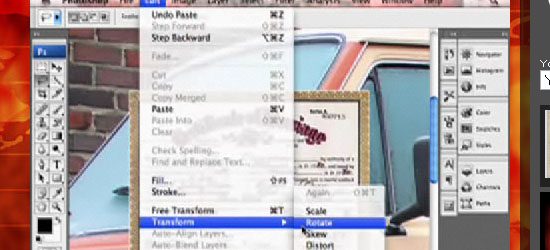
This wildly popular and humorous screencast on Photoshop techniques by (probably) fictional character Donnie Hoyle is an excellent Photoshop series to follow if you like laughing and learning at the same time!
4. Photoshop’s Toolbox
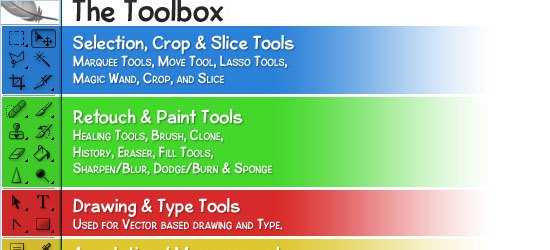
This tutorial goes over the anatomy of Photoshop’s Toolbox.
Photoshop tools and features
5. Retouch and Healing Tools
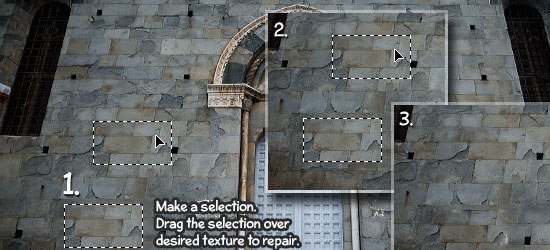
Photoshop has a host of tools and options for retouching and correcting images. This tutorial goes over the tools at your disposal and what situations each tool excels in.
6. Photoshop’s Pen Tool: The Comprehensive Guide
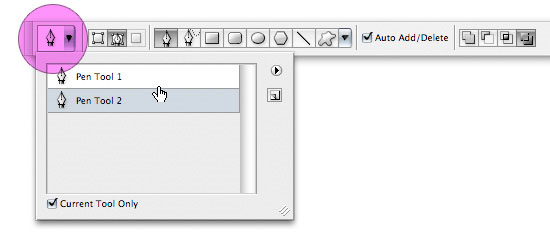
Photoshop’s Pen tool gives you the ability to draw objects in a vector-like fashion. This thorough tutorial even comes with a practice sheet that will help you master the concepts of working with the Pen tool.

Tidak ada komentar:
Posting Komentar